Fold Terminal
Coming soon to the App Store
SSH with a Mac keyboard.
An SSH client built for iPhone Duo. Half-fold it and it becomes a pocket laptop: the terminal on the top half, a full Mac keyboard and trackpad on the bottom. Folded, the cover screen shows your servers, quick connect and pinned one-tap actions — and your sessions survive every fold. On any iPhone you still get proper esc, ctrl, tab and arrow keys; turn it sideways for a Mac keyboard, or pair a Bluetooth one.
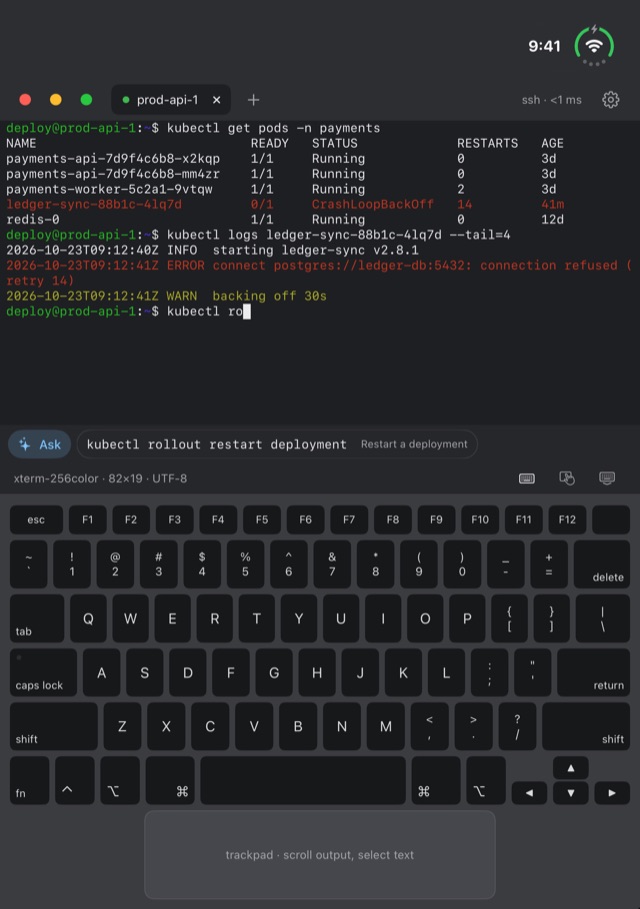
A look inside.
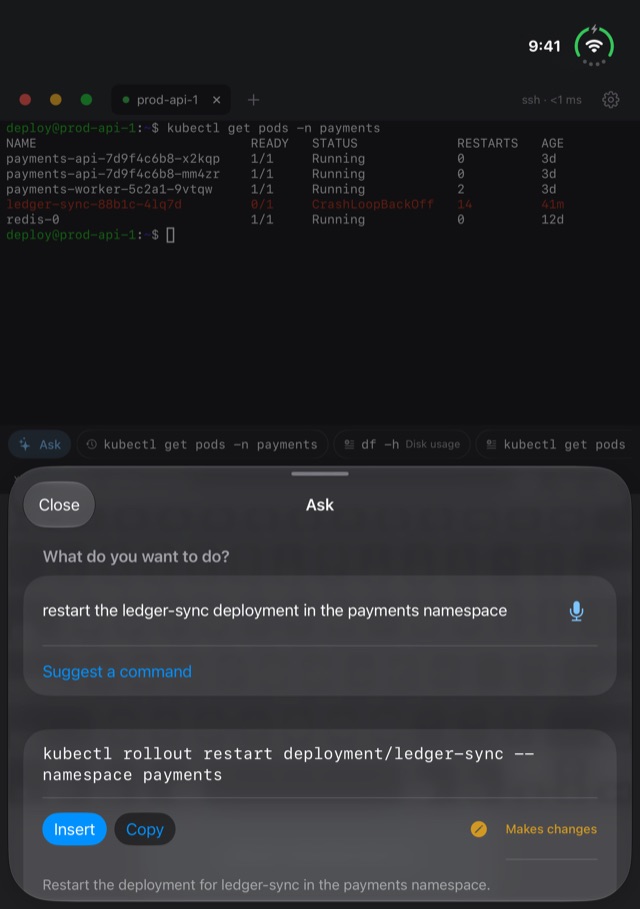
Ask in plain English; check the command before it runs.
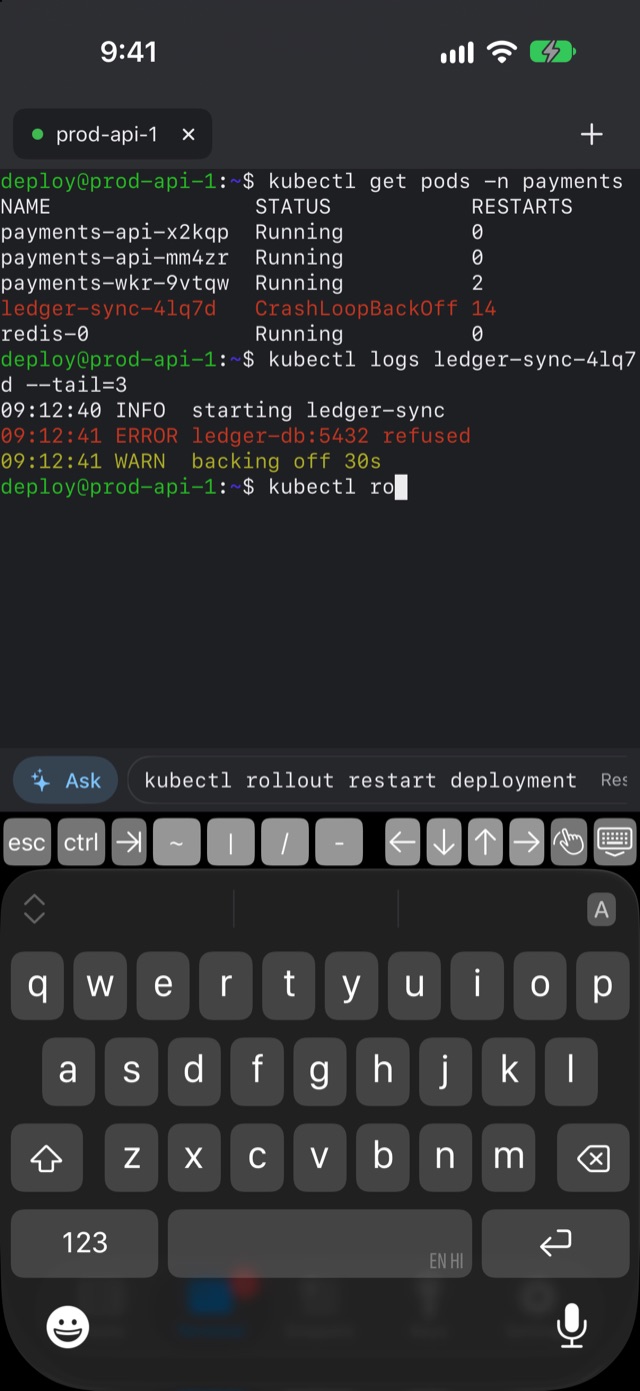
Real esc, ctrl, tab and arrow keys on any iPhone.
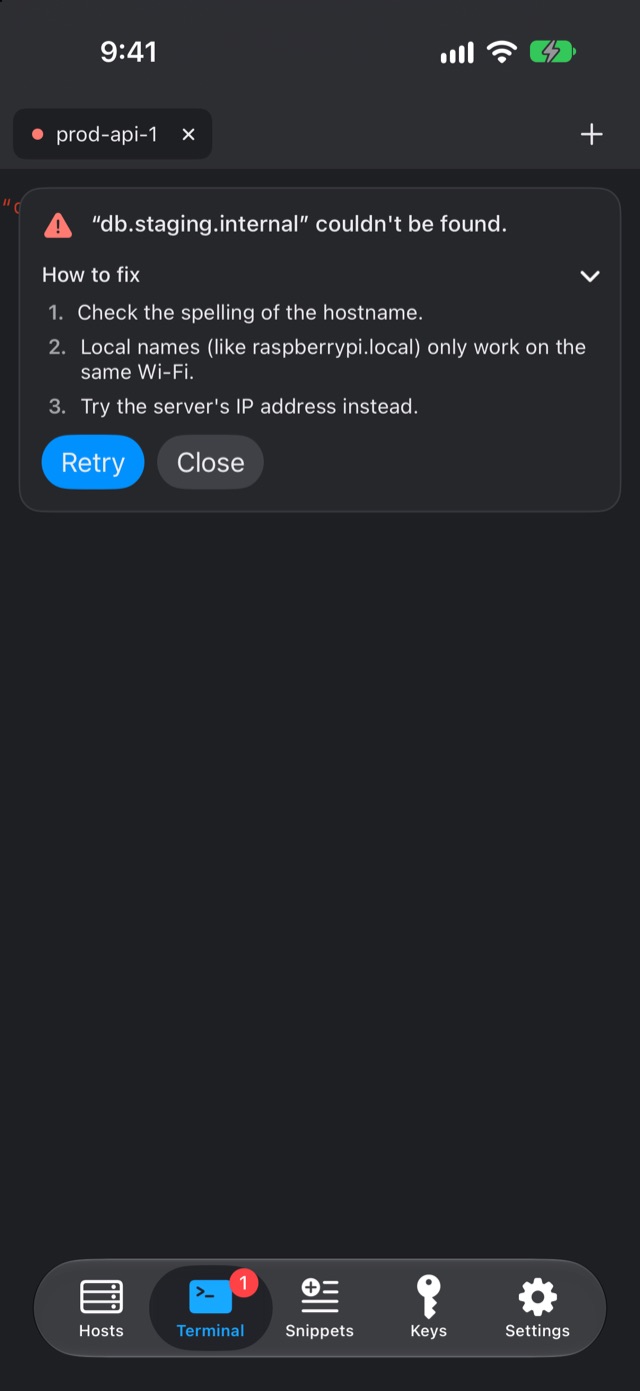
Connection errors explained, with steps to fix them.
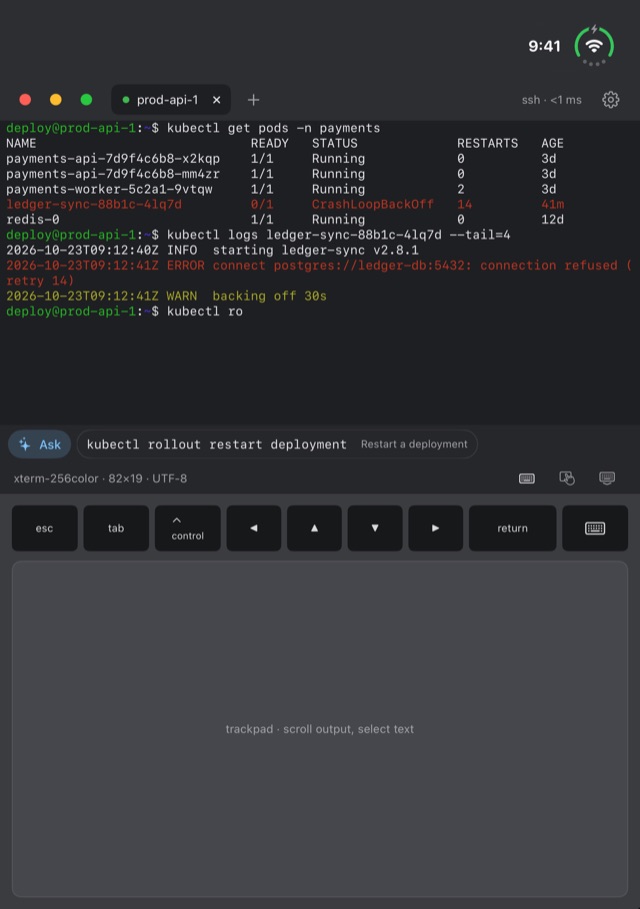
A trackpad for scrolling output, even inside tmux and vim.
Features
A real terminal, in your pocket.
On device
Your keystrokes go to your server. Nowhere else.
Fold Terminal has no account, no analytics, no tracking and no backend server of its own — it only connects to the servers you add. Passwords and private keys live in the iOS Keychain on this device only, never in iCloud. What you type and what your servers send back is never logged or stored, and Ask and Explain run on Apple’s on-device model, with no Private Cloud Compute.
Pricing
Free for 7 days, then your choice.
Every feature is free for 7 days. After that, pick whichever suits you.
Two ways to keep going
- Yearly — a subscription that renews automatically until you cancel
- Lifetime — a one-time purchase, no subscription
All purchases go through Apple — I never see your payment details. You can cancel the subscription any time in Settings › Apple Account › Subscriptions; the support page has the details.
Purchases are subject to Apple’s standard EULA.
Also by me
View all 9 apps → PanchangDaily Hindu almanac
 FastRingFasting timer
 WorthNet worth tracker
 GymLoopGym split tracker
 Vastu16-zone Vastu compass
 LagnaShubh Muhurat planner
 NakshatraKundli and Dasha
 Staff BookMaid salary & attendance
XXterminal/index.html">
Fold TerminalSSH with a Mac keyboard
Staff BookMaid salary & attendance
XXterminal/index.html">
Fold TerminalSSH with a Mac keyboard